
Networking
Copper or Fiber? How Connections Inside an AI Rack Are Made
Inside a rack, short links often still use copper, while longer ones use fiber. Here is how engineers choose between direct-attach cables, active cables and optics.


Fiber optics get much of the attention in data center networking, but copper wire has not disappeared. Inside racks and across very short distances, copper remains common, and the choice between copper and fiber is one of the practical decisions behind every AI cluster.
Why distance is everything
Electrical signals traveling through copper lose strength and pick up distortion as they go. The higher the data rate, the faster that degradation happens. At low speeds, copper Ethernet cables can run many tens of meters. At the very high speeds used in AI clusters, passive copper links shrink to just a few meters or less.
Light in fiber, by contrast, travels long distances with little loss. The tradeoff is that converting between electricity and light requires transceivers, which add cost, power and potential failure points.
The main options
Data center engineers generally choose among a few types of connections:
- Direct-attach copper cables: copper wires with connectors at each end and no active electronics, or very little. They are inexpensive, use almost no power and are very reliable, but only reach short distances, typically within a rack.
- Active electrical cables: copper cables with small chips that boost and clean up the signal, extending reach somewhat while still avoiding optics.
- Active optical cables: fiber with transceivers permanently attached at each end, sold as a single unit.
- Pluggable transceivers with separate fiber: the most flexible option, used for longer runs between rows, halls and buildings.
Copper inside the rack
Because copper is cheaper, cooler and less prone to failure for short runs, designers try to use it wherever distances allow. Some AI rack designs pack many accelerators close together and connect them with dense bundles of copper cables running through the back of the rack. Keeping those accelerators tightly packed is part of what makes the short copper runs possible, and it is also why such racks require so much power and cooling in a small space.
Fiber everywhere else
Once a link leaves the rack, fiber usually takes over. Connections from servers to leaf switches in another rack, from leaves to spines and between halls typically rely on optics. Large AI clusters can contain enormous amounts of fiber, all of which has to be planned, labeled, installed and maintained.
The ongoing balancing act
As data rates rise, copper’s reach keeps shrinking, which pushes more links toward optics. At the same time, engineers keep finding ways to stretch copper a little further and to make optics cheaper and more efficient. Innovations like co-packaged optics aim to bring fiber closer to the switch chip, while improvements in cable electronics aim to keep copper useful.
For readers following the industry, the copper-versus-fiber question is a good reminder that AI infrastructure is shaped by physical limits. How far a signal can travel at a given speed influences rack design, cluster layout and the mix of components a data center needs.
Putting It Into Practice: How Engineers Pick a Cable for Each Link
Choosing a connection type is usually a short series of questions applied to every link in a design.
- How long is the run? Measure the real cable path, including the route through trays and around racks, not just the straight-line distance.
- What speed is needed? Higher speeds shrink the distance copper can cover, so the same distance might suit copper at one speed and require optics at another.
- How much power and heat can the rack handle? Optics add power at both ends of each link. In a dense AI rack, those watts matter.
- How important is replaceability? Pluggable transceivers with separate fiber let either part be replaced independently, while integrated cables are replaced as a unit.
- How much space is available? Copper cables are thicker and heavier than fiber. Large bundles can crowd racks and block airflow.
- What is the total cost? Include the cable, any transceivers, installation labor and expected replacement over time.
The answer is often copper for the shortest links, active copper or active optical cables for medium runs and pluggable optics for anything longer.
A Worked Example: A Simplified AI Row
Picture a row of AI racks in a data center, described in general terms:
- Within each rack: accelerators packed into servers connect to each other through short, dense copper connections, often through a backplane or cable cartridge at the rear of the rack.
- Rack to nearby switch: servers connect to leaf switches, which may be in the same rack or a neighboring one. Short runs might use copper or active electrical cables, while longer ones use optics.
- Leaf to spine: these links typically cross the room or go to another hall, so they use pluggable transceivers and fiber.
- Between halls and buildings: fiber with longer-reach optics carries traffic across the campus.
The layout shows the pattern clearly: copper where everything is close, fiber where it is not.
Common Mistakes and How to Avoid Them
Ignoring cable management
Thousands of cables need clear routing, labeling and documentation. Poor organization makes troubleshooting slow and can block airflow, raising temperatures.
Bending fiber too tightly
Fiber has a minimum bend radius. Tight bends can weaken the signal or damage the glass, so installers use guides and trays that keep curves gentle.
Neglecting cleanliness
A speck of dust on a fiber connector can degrade a link. Inspecting and cleaning connectors before installation is standard practice.
Planning only for today’s speed
A copper link that works now may not reach at the next speed generation. Designs that anticipate upgrades can avoid costly rewiring later.
Questions Readers Ask
Why is copper more reliable for short links?
Passive copper cables contain few or no active components, so there is less to fail. Optical links include lasers and electronics that can degrade over time.
Is fiber fragile?
Fiber cables are designed for handling and are surprisingly durable, but they still need care with bending, crushing and connector cleanliness.
Will copper eventually disappear from AI racks?
Copper’s reach shrinks as speeds rise, but its cost and reliability advantages keep it attractive for the shortest connections, so it is likely to remain for some time, especially in tightly packed designs built to keep runs short.
This explainer is general education and not investment advice. Anyone making financial decisions related to cabling or networking companies should consult a qualified financial professional.
Latest stories
View all


Networking
The Control Plane Can Be a Shared Dependency Across Separate Systems
Two independent-looking systems can still rely on one service to decide what they should do. Configuration management, identity, name resolution and orchestration can become common dependencies even when the data paths are physically separate.
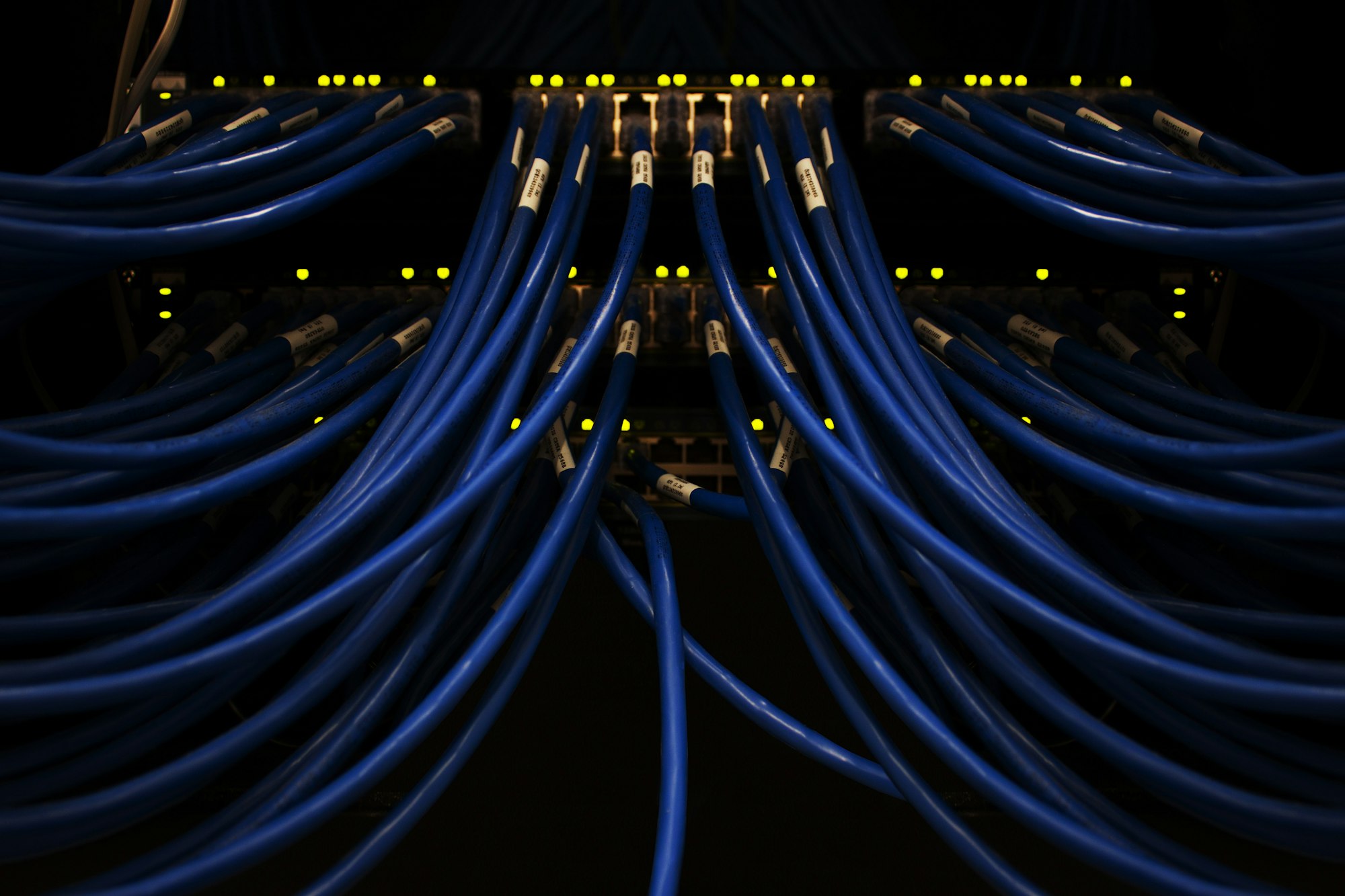
Photo: Scott Rodgerson / Unsplash
Two independent-looking systems can still rely on one service to decide what they should do. Configuration management, identity, name resolution and orchestration can become common dependencies even when the data paths are physically separate.
The operating distinction
The data plane moves the work, while control functions establish or manage its behavior. Some equipment continues operating through a temporary control interruption; other actions may fail until control returns. The distinction matters because successful ongoing traffic does not necessarily prove that new sessions or changes will work.
Management dependencies can extend beyond the network team. Identity services and access systems may be owned by another group, while the people restoring equipment assume those services are available. That creates an organizational boundary as well as a technical one.
A practical example
Picture a hypothetical network that keeps existing connections running while its management service is unavailable. Monitoring may report that traffic is flowing, yet a new deployment cannot receive the configuration it needs. Both observations can be true at the same time.
Questions worth asking
Duplicated data links do not explain the availability of the services that configure them. Identifying control dependencies helps distinguish uninterrupted traffic from the broader ability to manage, replace and restart equipment after a fault.
- Which functions keep working when the shared control service is unavailable?
- Can new sessions and replacement devices be brought into service?
- How is access to the management system restored during a broader incident?
What the evidence supports
A shared control service is not automatically an unacceptable design. Centralization can simplify management. The task is to identify what depends on it, how interruption affects different operations and how restoration is tested. A diagram should show management dependencies as well as the visible cables.
A useful tabletop discussion asks what can be observed, changed and recovered if the common management service is absent. The answer should distinguish a service that can continue automatically from one that needs human intervention or new configuration. It can then identify the approved route for that intervention. This provides a better picture of recovery capability than a diagram that shows duplicated data links but omits who or what controls them.
Separate the ability to keep current work moving from the ability to manage or restart it.
Quick check
How much did you catch? Tap a question to see the answer.
1. How can separate systems share a dependency?
Answer: Through control functions like identity, configuration management, name resolution or orchestration.
2. Does flowing traffic prove new changes will work?
Answer: No. Existing connections can run while new sessions or deployments fail.
3. Why is this an organizational issue too?
Answer: Identity and access services may belong to another team.
A Map of Common Control Dependencies
Control dependencies are often invisible on a physical diagram because they do not occupy their own cables. Listing them explicitly is a useful first step. In many environments, the shared services include:
- Identity and authentication. The systems that confirm who an engineer or automated process is and what they are allowed to change.
- Name resolution. The services that translate names into addresses for both applications and management tools.
- Configuration management. The repositories and tools that hold intended device settings and push them out.
- Orchestration and scheduling. The systems that decide where workloads run and start or stop them.
- Certificates and secrets. The services that issue and renew the credentials systems use to trust each other.
- Time synchronization. Accurate time underpins logging, certificate validity and coordination.
- Out-of-band management. The separate access path engineers use when the main network is unavailable.
Running a Control-Plane Tabletop Exercise
A tabletop exercise lets a team walk through a scenario without touching live systems. A simple structure works well.
- Pick one shared service. Assume it is unavailable for a defined period.
- List what keeps running. Identify functions expected to continue automatically, such as existing traffic flows.
- List what stops. Identify actions that would fail, such as new deployments, logins, configuration pushes or device replacements.
- Trace the recovery route. Determine how engineers would reach the affected systems, and whether that route itself depends on the missing service.
- Check emergency access. Confirm that break-glass credentials or local access methods exist, are controlled and have been tested.
- Record corrections. Capture missing documentation, unclear ownership or circular dependencies discovered during the walk-through.
Common mistakes
A frequent discovery is a circular dependency, where the tool needed to restore a service relies on that same service. Another is an out-of-band network that quietly shares authentication or name resolution with the main environment. A third is assuming that the identity team will be available and informed during an infrastructure incident, when no joint procedure exists. Finally, emergency credentials are sometimes created and never tested, so nobody knows whether they still work.
What This Means for Businesses and Readers
For organizations using cloud and hosted services, control-plane dependencies help explain why an outage can affect services that appear unrelated. A disruption in a shared management or identity function can prevent changes and new connections across many systems while existing work continues. For readers trying to understand an incident report, distinguishing between data-plane and control-plane effects often clarifies what customers actually experienced.
Separate cables can carry the work. Something still has to tell them what to do.
This is general education about system design. It does not assess any particular provider’s architecture.
Questions Readers Ask
Is centralizing control a mistake?
Not necessarily. Centralized management can improve consistency and security. The important part is understanding and testing what depends on it.
What is the difference between the data plane and the control plane?
The data plane carries the actual traffic or work. The control plane decides how that traffic is routed, configured and managed.
Why might existing connections survive while new ones fail?
Established sessions may already have the information they need, while new sessions require lookups, authentication or configuration from the unavailable service.
What is break-glass access?
A tightly controlled emergency method of reaching systems when normal access paths are unavailable, used under defined conditions and recorded.
How often should control dependencies be reviewed?
Whenever a shared service is introduced, replaced or reorganized, and periodically in between, because new dependencies tend to accumulate quietly as tools and teams change over time.
AI infrastructure explainers and news on iPhone, iPad and Apple Watch.
Networking
Two Fiber Contracts Can Still Share One Excavation Risk
Buying connections from different suppliers does not establish that the physical routes are independent. Somewhere beyond the facility fence, those services may pass through the same duct, bridge or building entrance, creating a common exposure.
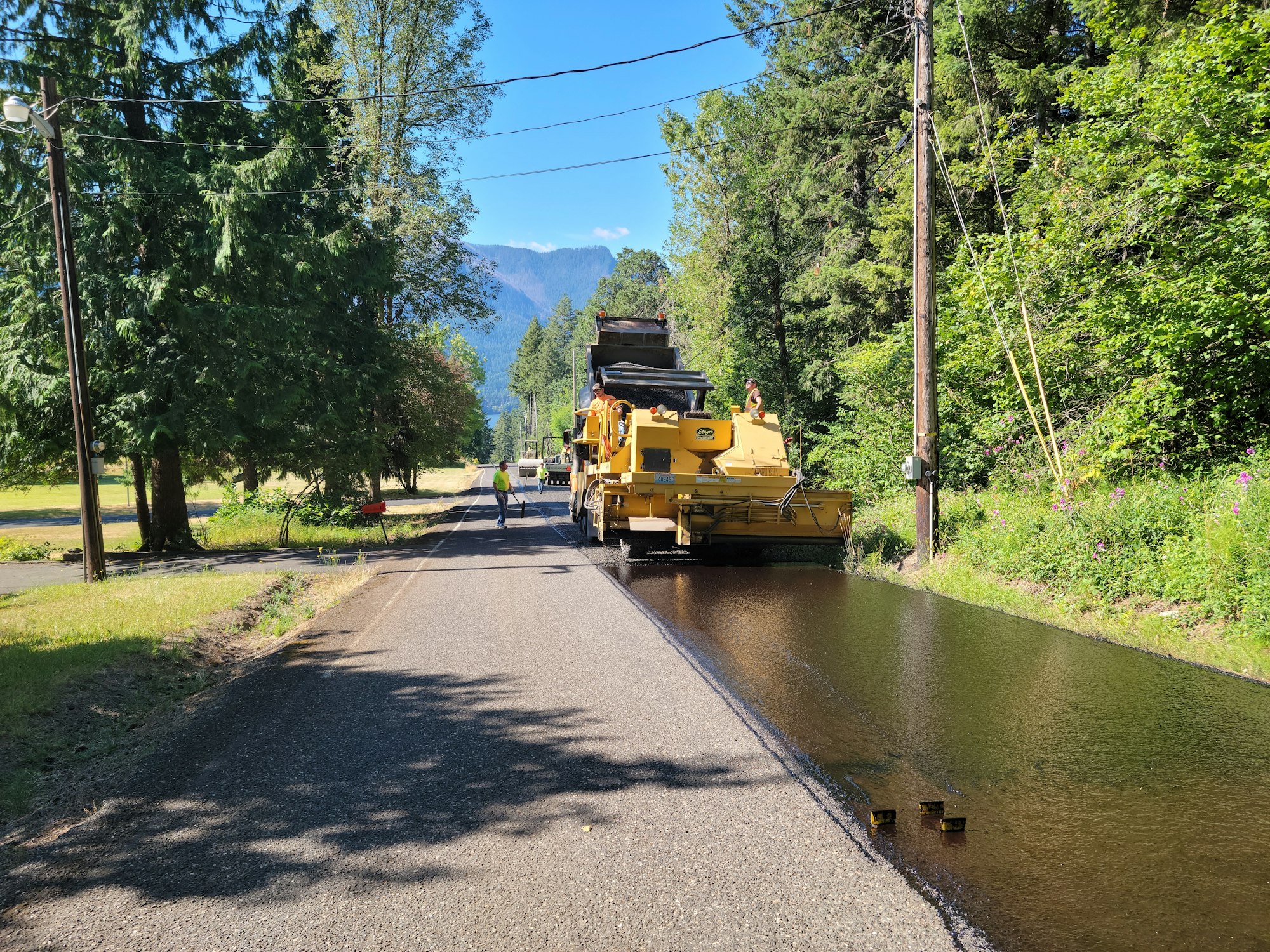
Photo: Tom Shamberger / Unsplash
Buying connections from different suppliers does not establish that the physical routes are independent. Somewhere beyond the facility fence, those services may pass through the same duct, bridge or building entrance, creating a common exposure.
The operating distinction
Network service is a chain of physical assets and operational arrangements. Separate billing relationships can sit on shared infrastructure. Route diversity therefore asks where the cables actually travel and which crossings, access points and equipment rooms they share. Logical paths alone cannot answer every physical question.
The same reasoning applies to restoration plans. An alternate service that survives one local cable fault may still be affected by a wider event. Naming the scenario avoids an all-or-nothing conversation about whether a network is diverse.
A practical example
Imagine two connections that enter a campus from opposite sides but meet at the same nearby road crossing. A fault at that crossing could affect both services. The separate entrances remain useful, but they do not remove that shared section of the route.
Questions worth asking
Different contracts can provide useful commercial options without proving physical independence. Reading the route evidence separately helps identify the actual benefit of the arrangement and the remaining shared exposure that needs another response.
- Which physical segments are shared outside the property boundary?
- When was the route information last confirmed with the providers?
- What restoration options remain if that common segment is unavailable?
What the evidence supports
Route documentation can be incomplete or subject to confidentiality limits. It can also become stale after changes. The practical goal is to establish the important shared risks and the evidence available, rather than assume that a second contract eliminates every possible network interruption.
A route sketch should distinguish confirmed information from an assumption or a supplier statement awaiting clarification. It can then show the important uncertainty without revealing sensitive route details publicly. The point is to make procurement and operating discussions more precise: which kind of damage is covered, which common dependencies remain and what evidence would justify a stronger claim. That is more useful than assuming that different service names imply different physical journeys.
Diversity is a property of the complete path, not simply the number of names on the invoices.
Quick check
How much did you catch? Tap a question to see the answer.
1. Do two suppliers guarantee independent routes?
Answer: No. They may share a duct, bridge or building entrance.
2. What does route diversity ask?
Answer: Where the cables physically travel and which crossings they share.
3. What could two entrances on opposite sides still share?
Answer: The same nearby road crossing.
How Shared Segments Usually Hide
Common exposure rarely announces itself on a contract. It tends to sit in places that are easy to overlook because they are outside the property and outside the day-to-day attention of the facility team.
- Shared conduit or duct banks. Different providers may lease space in the same underground structure along a road.
- Bridge and rail crossings. Physical geography often funnels routes toward a small number of practical crossing points over rivers, highways or rail lines.
- Common meet points. Carriers can hand traffic off in the same nearby building or cabinet before it reaches the facility.
- Resold or leased capacity. One supplier may carry traffic over another supplier’s fiber, so two names on two invoices can describe one physical cable.
- The same building entrance. Even when routes are separate for miles, they may converge on a single entrance room or cable vault.
A Practical Route Review, Step by Step
Facility teams and buyers can approach route diversity as a structured review rather than a yes-or-no question.
- Request route information from each provider. Ask for the level of detail they are able to share, recognizing that some route data is confidential.
- Mark known convergence points. Identify crossings, meet points, entrances and any segments where the routes appear to run near each other.
- Label the quality of each claim. Separate confirmed information from provider statements awaiting verification and from assumptions.
- Name the scenarios. Consider a single cable cut near the site, construction damage along a shared road, a bridge closure and a problem in a shared equipment room.
- Map restoration options to each scenario. Decide which services would remain available and which would require a separate response.
- Set a refresh date. Routes change when providers reroute, rebuild or sell assets. Agree on how often the information will be confirmed again.
Common mistakes
One mistake is accepting a provider’s diversity label without asking what it covers. Another is checking diversity once at contract signing and never again. A third is focusing entirely on the long-haul portion of a route while ignoring the last stretch near the facility, where excavation work is often most likely to occur. A fourth is assuming that a wireless or alternate technology backup has no shared dependency, when it may rely on the same power, building or tower infrastructure.
What This Means for Businesses Relying on Connectivity
For organizations that depend on a data center or cloud region, network diversity is part of the resilience they are buying, whether or not they negotiate it directly. A provider that can explain its known shared exposures clearly is usually giving a more honest picture than one that simply states its routes are diverse. For readers following infrastructure companies, route quality is one of the less visible factors behind service reliability, and it rarely appears in a headline.
The most useful diversity statement describes which failures the arrangement is expected to survive and which it is not.
Questions Readers Ask
Why do providers keep route details confidential?
Detailed route maps can create security concerns and may be commercially sensitive. Buyers can often obtain enough information to assess shared risk under appropriate agreements.
Is physical diversity always worth the cost?
It depends on how much an interruption would cost the business and which scenarios matter most. The decision benefits from naming the risk rather than buying diversity as a general label.
Can two routes ever be fully independent?
Complete independence is difficult to prove. The practical aim is to reduce the most likely and most damaging shared exposures and to know which ones remain.
How does excavation risk relate to fiber?
Buried cable can be damaged during digging for roads, utilities or construction. Shared corridors mean one digging accident can affect more than one service.
AI infrastructure explainers and news on iPhone, iPad and Apple Watch.
Networking
InfiniBand vs. Ethernet for AI Clusters
InfiniBand offers a tightly integrated path for synchronized AI traffic, while Ethernet offers broader compatibility and choice; the right fabric depends on workload, scale, software, and operating priorities.
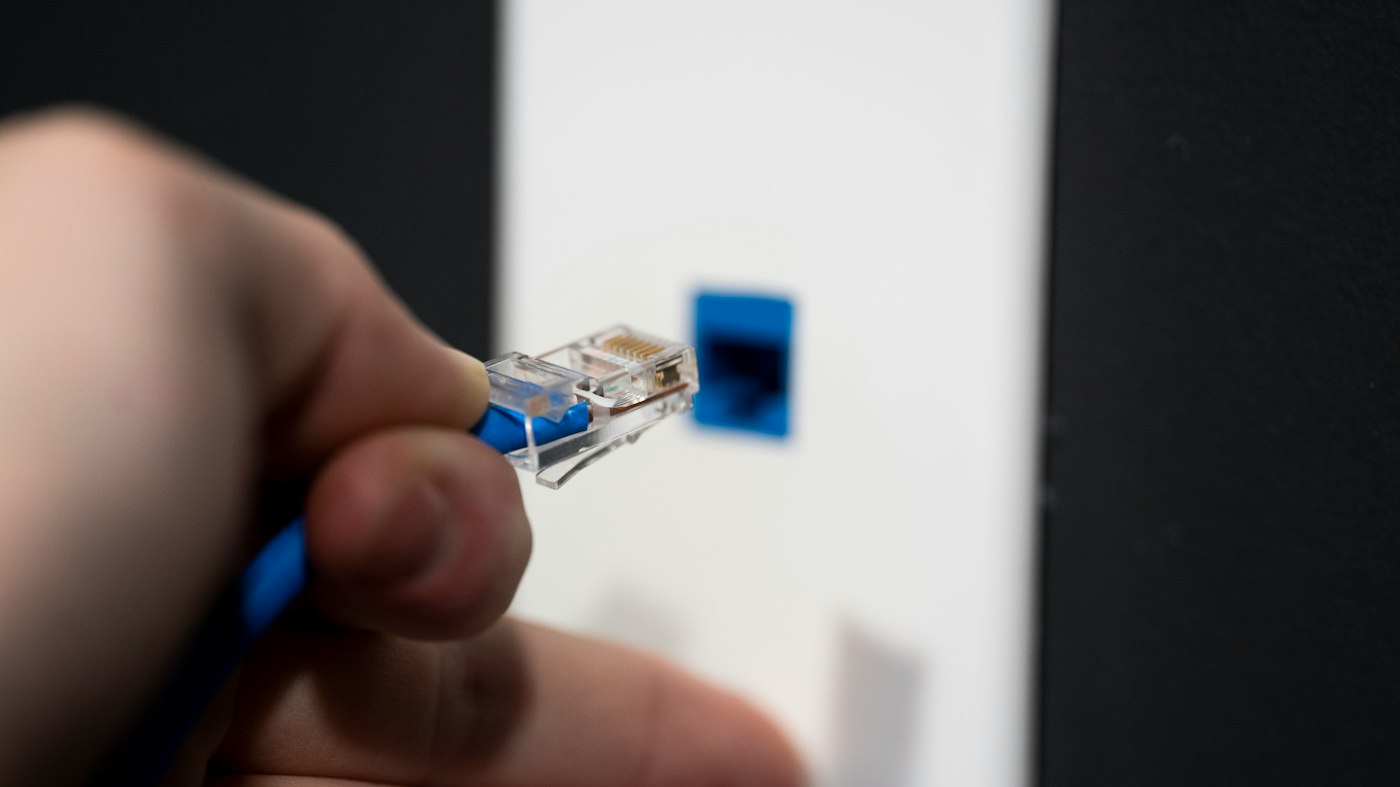
The networking choice inside an AI cluster is not a simple bandwidth comparison. Training jobs repeatedly move parameters, gradients, and activations between accelerators. If the network stalls, expensive GPUs wait. The result can be lower utilization even when every link’s headline speed looks impressive.
InfiniBand and Ethernet can both build large clusters. They differ in how much of the transport, congestion control, topology, and software stack is standardized or integrated for the target workload.
Why AI traffic is unusual
AI training produces synchronized bursts. Many accelerators finish a step and communicate at nearly the same time. That creates a traffic pattern that is sensitive to tail latency, congestion, packet loss, and collective-operation performance.
A general enterprise network can tolerate variable paths and occasional retransmission. A large training cluster may lose efficiency if a small number of links become hot and delay an all-reduce operation. The network is part of the compute system, not just plumbing.
InfiniBand’s case
InfiniBand was designed for high-performance computing. It supports low-latency communication, remote direct memory access, and features intended to keep data moving between nodes with limited CPU intervention.
NVIDIA’s April 2025 description of a DGX SuperPOD deployment cited Quantum-2 InfiniBand networking and a digital-twin validation process. The company said a SoftBank deployment of 510 DGX B200 systems was completed in three weeks, compared with a typical six-plus months, and that NVIDIA estimated the avoided downtime at roughly $1 million per day for a 1,000-server, 8,000-GPU data center. That estimate is NVIDIA’s analysis, not an independent industry average, but it illustrates why network deployment speed can have financial value.
InfiniBand’s strength is a validated stack. Hardware, drivers, collective libraries, and topology can be designed together. That can reduce the integration burden for a customer that wants a high-performing training appliance.
Its weaknesses are ecosystem and flexibility. It can require specialized adapters, switches, expertise, and operational tools. A company with a large Ethernet organization may prefer a fabric it already knows.
Ethernet’s case
Ethernet is widely deployed across data centers and connects servers, storage, offices, and the public network. It offers a large supplier base, familiar management tools, and multiple implementation choices.
AI Ethernet systems commonly use lossless or low-loss designs, remote direct memory access over Converged Ethernet, explicit congestion notification, and careful buffer and topology planning. The performance depends heavily on configuration. “Ethernet” by itself does not say whether a cluster will perform well.
Intel’s Gaudi 3 materials emphasize standard Ethernet and a 32-node all-Ethernet reference design. The pitch is not merely lower equipment cost. It is the ability to use existing operational skills and to avoid a completely closed networking path.
Speed changes the economics
Arista announced new 800G platforms in October 2025 and said 800GbE port shipments more than tripled sequentially in the second quarter of 2025, according to cited market research. The company described 3.2-terabit-per-second HyperPorts and AI uses including lossless training and inference.
800G matters because an AI rack can have many high-bandwidth links. If each accelerator needs 800 gigabits per second of east-west bandwidth, a 72-accelerator rack creates enormous switching demand. Moving to 1.6T transceivers can reduce port counts or support larger bisection bandwidth, but it also raises optical, thermal, and signal-integrity requirements.
The comparison should be made at job completion time
A network that delivers higher link speed but poor congestion behavior may lose to a slower network with better collective performance. The useful test is end-to-end: time to train, tokens per second, scaling efficiency from one node to 32 or 128 nodes, tail latency, and behavior during failures.
The test should include the actual model, precision, batch size, topology, and software release. A vendor’s ideal benchmark can be informative, but it is not a deployment guarantee.
Operations may decide the outcome
A cluster can fail financially through poor utilization. If the team cannot troubleshoot the fabric, the expensive accelerators sit idle. A familiar Ethernet operation may be worth more than a theoretical performance advantage. Conversely, a dedicated AI service with a specialized team may benefit from the tighter InfiniBand stack.
A hybrid architecture is common. InfiniBand or specialized Ethernet can carry accelerator-to-accelerator traffic, while ordinary Ethernet handles management, storage, and user access. The boundary must be clear so a failure in one network does not quietly degrade the other.
The decision rule
Choose InfiniBand when predictable scale-out training, validated deployment, and low-latency collectives dominate. Choose Ethernet when supplier choice, operational familiarity, interoperability, and mixed workloads matter more. Measure both on the workload that pays the bills.
The procurement decision should include the people who will operate the fabric. Ask how many engineers are trained on the selected switches, how firmware is qualified, how telemetry is exported, and how a bad optic is isolated. Also ask whether the vendor can support a mixed-generation cluster during a refresh. A network that is technically fast but difficult to diagnose can reduce accelerator utilization for weeks. In that sense, operational simplicity is a performance feature, not an administrative preference.
At very large scale, fabric choice also affects the power budget. More ports, higher-speed optics, and additional switch tiers consume electricity and occupy rack space. That overhead should be included in the same total-cost model as accelerator power. A lower-cost accelerator that needs a larger network may not be cheaper at the cluster level. The fair comparison is the amount of useful work delivered by the complete system after networking, cooling, software, and operations are included.
Sources
- NVIDIA, “NVIDIA Helps Build AI Factories Faster Than Ever with DGX SuperPOD,” April 11, 2025: developer.nvidia.com
- NVIDIA, “Blackwell: Born for Extreme-Scale AI Inference,” 2025: blogs.nvidia.com
- Intel, “Intel Gaudi AI Accelerator Products,” accessed October 2026: intel.com
- Arista, “Arista Networks Unveils Next Generation Data and AI Centers,” October 29, 2025: arista.com
- NVIDIA, “Reference Architectures: Deep Dive,” accessed October 2026: docs.nvidia.com
BOSSTOX Research articles are drafted with AI assistance and reviewed by our editors before publication. See our editorial standards.

A Coolant Distribution Unit Needs Its Own Power-Loss Story

The Control Plane Can Be a Shared Dependency Across Separate Systems

A Maintenance Window Changes the Meaning of Redundancy

Remote Support Depends on More Than a Telephone Number

Transformer Lead Times Are Becoming a Data-Center Schedule Risk

Gas Turbines on Data-Center Campuses

Water Use and Dry Coolers: The Tradeoff AI Sites Cannot Avoid

Battery Storage at AI Sites
A Coolant Distribution Unit Needs Its Own Power-Loss Story
The Control Plane Can Be a Shared Dependency Across Separate Systems
A Maintenance Window Changes the Meaning of Redundancy
Remote Support Depends on More Than a Telephone Number
-
 Power & Grid1 month ago
Transformer Lead Times Are Becoming a Data-Center Schedule Risk
-
 Power & Grid1 month ago
Gas Turbines on Data-Center Campuses
-
 Cooling2 months ago
Water Use and Dry Coolers: The Tradeoff AI Sites Cannot Avoid
-
 Power & Grid1 month ago
Battery Storage at AI Sites
-

 Compute & Silicon1 month ago
GPU Supply Chains: How AI Hardware Gets Made, Moved, and Bottlenecked
-

 Power & Grid4 weeks ago
FERC’s Large-Load Orders: The November 16 Grid Deadline Behind the AI Build-Out
-

 Capital & Backlog4 weeks ago
AI Infrastructure’s Rough Week: Chips Fall 6.7% as Meta Lifts Capex Floor
-

 Cooling4 weeks ago
Liquid-Cooling Leak Detection and Reliability