
Explainers
Data Center Physical Security: The Layers Between the Fence and the Server
Data centers protect their equipment with layers of physical security, from perimeter fences to locked cages. Here is how the layers fit together.

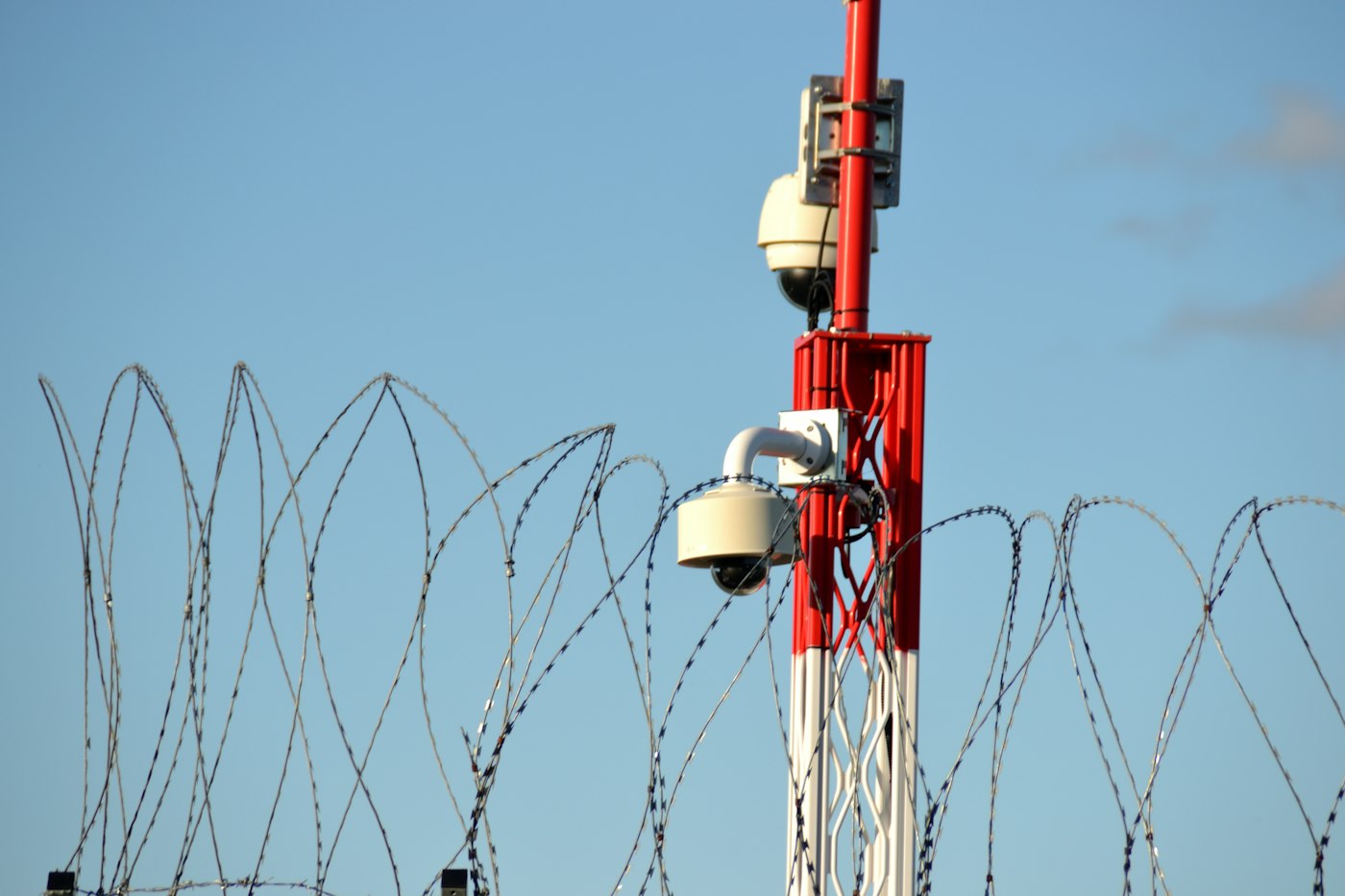
Most conversations about data security focus on hackers and software. But the computers holding that data sit in a physical building, and protecting that building is its own discipline. Data centers typically use a layered approach, sometimes compared to the rings of an onion, where each layer adds another barrier between the outside world and the servers.
The perimeter
The outermost layer is the site boundary. Many facilities use:
- Fences designed to resist climbing or vehicles.
- Barriers such as bollards, berms or reinforced gates to stop vehicles from ramming the building.
- Setbacks that keep the building a distance from public roads.
- Lighting and cameras covering the grounds.
- A single controlled entry point for vehicles, often with a guard station.
Some facilities also avoid prominent signage, keeping a low profile so that the building does not advertise what it is.
The building entrance
Getting into the building usually requires more than a key. Visitors and staff typically pass through a reception or security desk where identity is verified. Access may require a badge plus a PIN or biometric check, such as a fingerprint or other scan.
A common feature is a mantrap, a small vestibule with two doors that cannot both be open at the same time. It allows only one person through at a time and prevents tailgating, where an unauthorized person follows someone else inside.
Inside the building
Within the facility, access is divided into zones. A technician authorized to enter one data hall may not be able to enter another, or the electrical rooms. Each zone has its own access controls and logs.
In colocation facilities, where many customers share a building, individual customers often have their own locked cages, suites or cabinets. Some cabinets have their own electronic locks that record every opening.
Watching and recording
Security teams use extensive camera coverage, both inside and out, often with recordings kept for a set period. Access logs show who entered which area and when. Alarms trigger if doors are propped open or forced. Many facilities staff security officers around the clock, and they patrol the site regularly.
Security also extends to how equipment comes and goes. Loading docks are controlled, deliveries are checked and logged, and outgoing equipment is inspected. Storage drives that are retired are often destroyed or wiped on site under supervision, since a discarded drive could otherwise hold sensitive data.
Procedures and people
Technology is only part of physical security. Policies matter just as much: background checks for staff, escort requirements for visitors, regular audits and training. Many operators follow recognized security frameworks and undergo independent audits so customers can understand their practices.
The goal of all these layers is simple. Anyone trying to reach a server without permission should face multiple independent obstacles, and every legitimate visit should leave a clear record. In a world where so much depends on digital systems, the fences and doors around them are a quiet but essential part of keeping them safe.
Following a Visitor Through the Layers
A useful way to understand layered security is to follow the path of a legitimate visitor, such as a contractor arriving to service a piece of equipment. Procedures differ by facility, but a typical visit might look like this:
- Before arrival. The visit is scheduled in advance by someone authorized to request it. The visitor’s name, company, purpose and expected time are recorded.
- At the gate. A guard checks the vehicle and confirms the visitor appears on the approved list. Unexpected arrivals are turned away or held until verified.
- At reception. The visitor presents identification, signs in, may agree to site rules, and receives a temporary badge with access limited to specific areas and times.
- Through the mantrap. An escort accompanies the visitor through the controlled entry. Only one person passes at a time.
- To the work area. The visitor’s badge opens only the doors needed for the job. Equipment brought in may be logged.
- On departure. Tools and equipment may be checked, the badge is returned, and the exit is recorded.
Each step is simple on its own. Together they make it very hard for someone without a legitimate reason to reach the servers, and they leave a detailed record of who was where.
The Principle Behind the Layers
Security professionals often describe two complementary ideas behind this design.
Defense in depth
No single barrier is perfect. A fence can be climbed, a badge can be lost, a guard can be distracted. Stacking independent layers means that a failure at one point does not open the whole facility. Each layer also buys time for detection and response.
Least privilege
People are given access only to the areas they need for their work, and only for as long as they need it. An electrician may reach the electrical rooms but not the data halls; a customer may reach their own cage but not a neighbor’s. Limiting access narrows the number of people who could cause harm, intentionally or by accident.
Common Weak Spots and How Facilities Address Them
- Tailgating. Following someone through a door is one of the oldest tricks. Mantraps, turnstiles, door alarms and staff training to challenge unfamiliar faces all help.
- Propped doors. Doors left open for convenience during deliveries or maintenance undermine security. Door-held-open alarms alert staff quickly.
- Stale access lists. Former employees or contractors who keep access are a risk. Regular reviews remove permissions that are no longer needed.
- Social engineering. Someone may pose as a technician or delivery driver. Verification procedures and pre-scheduled visits counter this.
- Insider risk. Background checks, separation of duties, logging and the two-person rule for sensitive tasks reduce the risk from people who already have access.
Questions readers ask
Why do some data centers look like ordinary warehouses? A plain exterior without prominent signage avoids drawing attention, which is part of the security strategy.
How do customers know a facility is secure? Many operators undergo independent audits against recognized frameworks and share the resulting reports with customers under confidentiality terms.
Does physical security connect to cybersecurity? Very much so. Physical access to a server can bypass many digital protections, so the two disciplines are planned together, along with procedures for handling and destroying storage media.
Are security measures the same everywhere? No. They vary with the type of facility, the sensitivity of the workloads, customer requirements and local regulations.
Latest stories
View all


Explainers
The Commissioning Exception Log Deserves a Place Beside the Test Result
A successful test can still leave questions to resolve. Commissioning documentation is more useful when it records exceptions, temporary arrangements and unfinished actions alongside the activities that passed. Otherwise the handover can appear cleaner than the operating reality.
Photo: TECNIC Bioprocess Solutions / Unsplash
A successful test can still leave questions to resolve. Commissioning documentation is more useful when it records exceptions, temporary arrangements and unfinished actions alongside the activities that passed. Otherwise the handover can appear cleaner than the operating reality.
The operating distinction
Testing examines a defined configuration under defined conditions. A temporary sensor, bypassed sequence or unavailable component changes what that test establishes. An exception log preserves those boundaries and assigns follow-up work. It is a bridge between the construction team and the people who will run the facility.
An exception record is also a memory aid after the original project team leaves. Without it, operators can spend time rediscovering why an arrangement differs from the drawings or why a monitoring point behaves unusually. The record should preserve the reason, not only the observation.
A practical example
Imagine a hypothetical integrated test completed with one monitoring feed unavailable. The tested equipment may have performed as intended, while the missing visibility still matters for operations. Recording that distinction avoids turning a limited success into a broader claim about the complete system.
Questions worth asking
A useful exception record explains how the condition affects operation and what would resolve it. The number of open items alone cannot tell the receiving team which issues deserve attention before normal service begins.
- Which temporary conditions were present during the acceptance test?
- Who owns each remaining action and its operational consequence?
- What evidence is needed before the exception is marked closed?
What the evidence supports
An open item is not automatically a major defect, and a closed item is not automatically well resolved. The useful record explains its operational consequence, the evidence for closure and who accepted the result. That is more informative than counting entries alone.
A concise handover review can select the items that affect current operation and connect each one to its evidence. A cosmetic issue and a missing protection function should not be flattened into the same status description. Their consequences differ. Making that difference visible helps the receiving team understand what has actually been accepted and which assumptions still depend on follow-up work.
Read the conditions and unresolved work with the result, rather than treating a pass label as the whole account.
Quick check
How much did you catch? Tap a question to see the answer.
1. What does an exception log record?
Answer: Exceptions, temporary arrangements and unfinished actions.
2. Why does it matter after the project team leaves?
Answer: Operators don’t have to rediscover why something differs from the drawings.
3. What should the record keep besides the observation?
Answer: The reason.
What a Strong Exception Entry Contains
An exception log is only as useful as the individual entries in it. A short entry that says a sensor was offline tells the next reader very little. A stronger entry answers the questions an operator will ask months later when the original team is no longer on site.
- What was observed. A plain description of the condition, the equipment affected and the location.
- When and under which test. The test or activity during which the exception appeared, so the reader understands its context.
- Why it exists. The cause if known, such as a component awaiting delivery, a design change or a temporary arrangement.
- Operational consequence. What the condition means for running the facility today, including any reduced visibility or protection.
- Interim measure. Any temporary arrangement or added monitoring that compensates while the item is open.
- Owner and target. The role responsible for closing it and the expected milestone.
- Closure evidence. What will demonstrate resolution, such as a retest, a document update or a sign-off by the receiving team.
Running an Exception Review Before Handover
A handover review does not need to reopen every item. It needs to make sure the receiving team understands what they are accepting.
- Sort by consequence. Group entries by their effect on safety, protection, capacity, monitoring and appearance. Cosmetic items can be handled separately from items that affect how the facility responds to a fault.
- Confirm the interim measures. For each item that affects operation, verify that the temporary arrangement is in place and understood by operators.
- Agree on acceptance. Decide which items the receiving team accepts as open, with conditions, and which must close before service begins.
- Record who accepted what. Acceptance of an open item is itself a decision that deserves a name and a date.
- Carry the log forward. Make the log part of the operating record rather than a construction document that is archived at handover.
Common mistakes
Teams sometimes close items to reduce the count before a milestone, without strong evidence that the issue is resolved. Others merge unrelated items into one entry, which makes closure ambiguous. A third mistake is keeping the log in a format that only the commissioning party can access, so operators never see it. Finally, an exception closed by a later change can be reintroduced if the change is undone without anyone checking the history.
What This Means for Owners, Operators and Customers
For an owner, the exception log is a record of the conditions under which the facility was accepted. For an operator, it explains behavior that does not match the drawings. For a customer considering a new facility, the existence of a disciplined exception process can be a sign that the provider is willing to describe its systems honestly, including what remains unfinished. A clean summary page is reassuring only if the detail behind it supports it.
A pass result describes what was tested. The exception log describes what that result does not yet cover.
Questions Readers Ask
Is a long exception log a bad sign?
Not necessarily. A detailed log may reflect careful documentation. What matters is the consequence of the items and whether they have owners and closure plans.
Who should own the log after handover?
Usually the operating team, with clear arrangements for the construction or commissioning party to complete their remaining actions.
Can an item be closed without a retest?
Some can, such as documentation corrections. Items that affect system performance generally need evidence that matches the original concern.
How long should exception records be kept?
Long enough to explain the facility’s configuration to future operators, which often means keeping them with the permanent operating records.
AI infrastructure explainers and news on iPhone, iPad and Apple Watch.
Explainers
What Is a Hyperscaler? A Plain-English Explainer
The word shows up in nearly every story about AI infrastructure. Here is what it means and why these companies shape the build-out.
“Hyperscaler” is industry shorthand for the small group of companies that run cloud computing at enormous scale: they own and operate fleets of data centers around the world and rent computing power, storage and software to everyone else. Amazon Web Services, Microsoft Azure and Google Cloud are the names most people know, and Meta and Oracle are often included in the same conversation. If you follow business news for even a week, you will see the word attached to earnings reports, power deals, chip orders and real estate announcements. This explainer walks through what the term really means, why it carries so much weight, and how to read the signals these companies send.
What Makes a Company a Hyperscaler
There is no official membership list and no regulator that hands out the title. The word describes a business model and a size. A hyperscaler does three things at once: it builds and owns the physical infrastructure (land, buildings, power connections, cooling and servers), it runs that infrastructure as a global network, and it sells access to it as a service. Customers range from a two-person startup renting a single virtual server to a multinational bank moving its entire back office into the cloud.
The “hyper” part refers to the ability to scale up very quickly. A customer can ask for more computing capacity in the morning and have it running by lunch, because the hyperscaler has already built far more capacity than any single customer needs. That spare capacity, spread across many customers, is the heart of the business.
It helps to separate a few related ideas:
- Cloud providers rent computing resources over the internet. All hyperscalers are cloud providers, but not every cloud provider is large enough to be called a hyperscaler.
- Colocation and data center operators own buildings and rent space, power and cooling to companies that bring their own servers. They are often suppliers to, or landlords for, the hyperscalers.
- Large platform companies such as Meta run hyperscale infrastructure mainly for their own apps and services, which is why they are often grouped with the cloud giants even though they rent less of it to outside customers.
Why the Label Matters
Scale changes the economics. A company building dozens of data centers can design its own servers, negotiate long-term power contracts directly with utilities, and order chips years in advance. That buying power is why hyperscaler spending plans are watched so closely: when they raise or cut capital budgets, suppliers of chips, networking gear, cooling systems and electrical equipment feel it.
Think of it like a very large customer at a small supplier. When one buyer accounts for a meaningful share of a supplier’s orders, that buyer’s plans become the supplier’s forecast. Hyperscalers sit in that position for many industries at once. A single decision to accelerate or delay a group of data center projects can ripple through:
- Semiconductor makers that design and manufacture processors and accelerators
- Networking companies that sell switches, optical connections and cabling
- Makers of cooling equipment, from chillers to liquid cooling hardware
- Electrical equipment firms that supply transformers, switchgear and backup power
- Construction and engineering firms that design and build the facilities
- Utilities and power developers that supply the electricity
Because of this, analysts often treat hyperscaler budgets as a leading indicator. Spending plans are announced before the money flows to suppliers, so a change in guidance can show up in supplier results a quarter or more later.
Where AI Fits In
Training and running large AI models takes far more computing power than traditional web services. Hyperscalers are the main buyers of AI accelerators and the main builders of the facilities that house them, so much of the AI build-out flows through their budgets.
Two kinds of AI work drive that demand. Training is the process of building a model by running enormous amounts of data through specialized chips for weeks or months. Inference is the everyday use of a finished model, every time someone asks a question or a business runs an automated task. Training tends to come in large, concentrated bursts; inference grows as more people and companies use AI tools. Both need dense, power-hungry hardware, and both push data center design toward higher power per rack and more advanced cooling.
This is why the AI story and the hyperscaler story are so closely linked. Most companies that use AI do not buy their own accelerators. They rent them from a cloud provider. The hyperscalers, in turn, place the large orders, sign the power contracts and pour the concrete.
What to Watch
Three things tell you the most: capital expenditure guidance in quarterly earnings, announcements of new data center campuses and the power deals behind them, and any comments about how much of their capacity is already spoken for by customers.
1. Capital expenditure guidance
Capital expenditure, or capex, is money spent on long-lived assets such as buildings, servers and equipment. Hyperscalers usually discuss their capex plans on quarterly earnings calls. Listen for whether guidance is going up, holding steady or coming down, and for how management describes the mix between buildings, servers and chips. A raised outlook generally signals more orders ahead for suppliers; a cut signals the opposite.
2. New campuses and power deals
A data center campus can only run if it has electricity. Announcements of new sites often come paired with agreements to buy power from a utility or a new generation project. These deals reveal where capacity is being built, how quickly, and how much power the companies expect to need. Delays in grid connections can slow projects even when the money is ready.
3. Capacity already spoken for
Pay attention when executives describe customer commitments, backlogs or capacity constraints. If a company says demand is running ahead of available capacity, it suggests continued building. If it says customers are optimizing or pausing, the build-out may cool.
Common Misreadings to Avoid
- Treating all hyperscalers as one. Each has its own customers, chip strategy and balance sheet. A spending increase at one does not guarantee the same at another.
- Confusing announcements with spending. A campus announced today may take years to build and fill. Watch for progress, not just headlines.
- Ignoring power. Chips get attention, but electricity and grid access are often the real bottleneck.
- Assuming a straight line. Capital spending cycles can speed up and slow down. Suppliers can see sharp swings when hyperscalers change pace.
The Starting Point for the AI Supply Chain
Understanding the hyperscalers is the starting point for understanding nearly every other company in the AI supply chain. Once you know who is buying, how much they plan to spend and what is holding them back, the news about chips, cooling, networking and power starts to fit together into a single picture.
A simple way to keep learning this week:
- Pick one hyperscaler and read the capex section of its most recent earnings summary.
- Note one data center campus announcement and look for the power arrangement behind it.
- Write down one supplier category (chips, cooling, networking or electrical) and follow how its news connects back to hyperscaler budgets.
BOSSTOX publishes educational content, not investment advice. For decisions about your own money, talk with a qualified financial professional.
Explainers
NVIDIA’s Modular AI Factories Put the Clock on Infrastructure
AP reports that NVIDIA is urging Europe to accelerate AI infrastructure. BOSSTOX examines what modular AI factories could change—and what constraints remain.
The AI infrastructure race is shifting from “who has the chips?” to “who can get a working factory online?” The Associated Press reports that NVIDIA CEO Jensen Huang used the company’s Berlin developer conference to urge Europe’s AI sector to move faster, while presenting tools intended to help accelerate data-center construction.
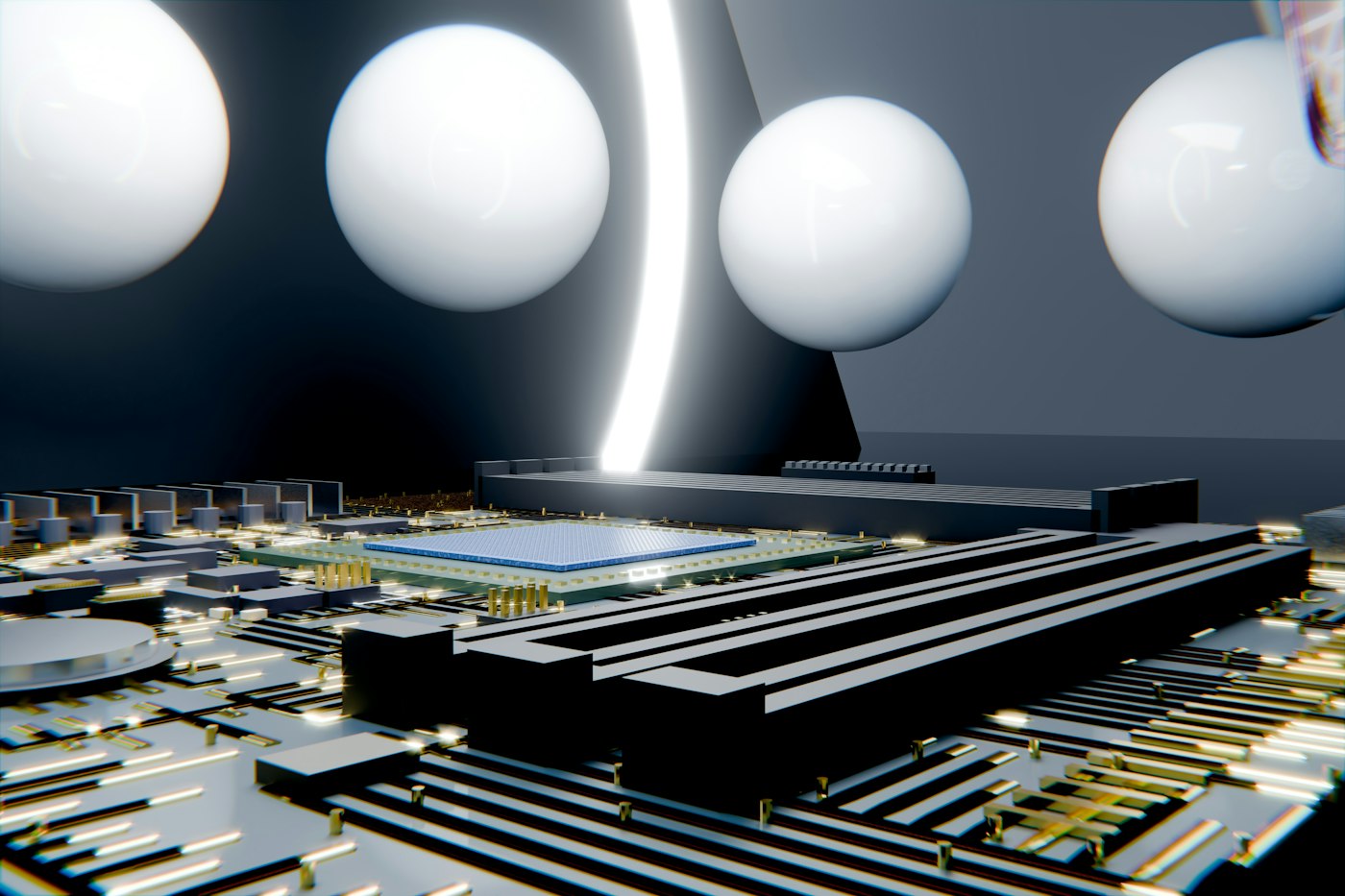
The most consequential piece is infrastructure, not marketing language. NVIDIA says its new DSX POD reference design packages computing, networking, rack-level power and liquid cooling into modular units that can be integrated and tested before arriving at a prepared site. The company says deployment at a ready location could fall from roughly six months to as little as 14 days.
Why the schedule matters
AI capacity is constrained by more than GPU supply. Operators still need power, interconnection, cooling, fiber, permitting, specialized labor and a site that can accept a dense load. A modular approach does not remove those constraints, but it changes where the work happens: more integration moves into a factory, while the site becomes a connection and commissioning problem.
That distinction matters for developers, utilities and investors. A project that reaches “first tokens” weeks earlier can begin serving customers sooner, but only if the supporting infrastructure is actually ready. A container full of compute does not create capacity without electricity, thermal management, network access and a reliable operating model.
What NVIDIA is claiming
NVIDIA says DSX POD is designed for Vera Rubin AI factories and is being developed with partners including Bull, Dell Technologies, HPE, Lenovo, Schneider Electric and Vertiv. The company also says partners are working toward global deliveries in early 2027. Those are vendor announcements, not independent measurements, and the real test will be how quickly a prepared site can move from delivery to production under local grid, permitting and operating conditions.
What to watch next
- Power access: whether sites have firm capacity and a realistic interconnection path.
- Cooling: whether closed-loop liquid systems reduce water use without creating new maintenance bottlenecks.
- Deployment evidence: whether the promised weeks-long schedule holds outside demonstration environments.
- Revenue timing: whether faster installation translates into paid inference and training workloads.
BOSSTOX tracks the physical and financial systems behind AI: power and grid access, cooling, custom silicon, optical networking, data-center capacity, and capital. The NVIDIA announcement is a useful signal because it connects several of those lanes at once. The strategic question is no longer simply how many accelerators a region can buy. It is how quickly that region can turn electricity, equipment and sites into dependable compute that customers can use.
Sources
Read the Associated Press report and review NVIDIA’s DSX POD announcement. For related infrastructure context, visit BOSSTOX.
This BOSSTOX analysis is original and distinguishes reported facts from company claims and editorial interpretation.
Going Deeper: What “Factory-Integrated” Means for a Data Center Project
The idea behind modular AI infrastructure is not new in construction. Builders have long moved work off site when it can be done faster, more safely or with better quality control in a factory. Applied to dense computing, the logic looks like this as of late October 2026.
The traditional sequence
In a conventional deployment, servers, networking gear, power distribution and cooling components arrive at a site separately. Crews install racks, run cables, connect cooling loops, energize equipment and then test everything together. Problems discovered during testing must be fixed on site, where specialists may be scarce and every day of delay is a day without revenue.
The modular sequence
In a modular approach, much of that integration and testing happens before shipment. The site’s job shifts toward preparing a foundation, power feeds, cooling connections and network links that the arriving units can plug into. The promise is that commissioning becomes a shorter, more repeatable process. The risk is that any mismatch between what the factory built and what the site prepared can still cause delays.
A Checklist for Evaluating Speed Claims
When any vendor describes a dramatically shorter deployment timeline, a few questions help put the claim in context.
- What counts as the start? A schedule measured from delivery to a prepared site excludes the time needed to secure land, permits, power and cooling infrastructure, which can take far longer.
- What counts as the finish? “First tokens” or initial operation is not the same as full production with all units running reliably for paying customers.
- How many sites have done it? A timeline achieved once in a controlled setting may differ from results across many locations with different local conditions.
- Who did the measuring? Vendor-reported figures are useful but are not the same as independent results.
- What happens when something fails? Servicing and replacing components in tightly integrated units may require specialized support.
Why This Matters for Reading Financial Results
Faster deployment, if it holds up, can affect several numbers that BOSSTOX readers follow:
- Construction in progress. Equipment that moves from delivery to service more quickly spends less time as unfinished assets on the balance sheet.
- Depreciation timing. Assets placed in service sooner begin depreciating sooner, which is offset, ideally, by earlier revenue.
- Revenue timing. For cloud and AI service providers, shorter gaps between capital spending and paid workloads can improve the return on that spending.
- Supplier mix. Modular designs may shift more value toward partners that integrate power and cooling at the factory, a theme to watch in supplier commentary.
Questions Readers Ask
Does modular design solve the power problem? No. As the analysis above notes, a module still needs firm electricity, interconnection and heat rejection at the site. Those remain the long-lead items.
Is a modular unit the same as a shipping-container data center? The concepts are related, since both move integration off site, but modern AI designs are built around far denser power and liquid cooling than earlier containerized approaches.
Why would partners in power and cooling be involved? Because the limiting factors for dense AI racks are increasingly electrical and thermal. A design that integrates compute without matching power distribution and liquid cooling would simply move the bottleneck. Including those suppliers in a reference design reflects how tightly the layers now depend on each other.
What should site developers take from this? If deployment of the compute itself becomes faster, the relative importance of having power, cooling and permits ready in advance grows. Sites that are genuinely prepared may become more valuable.
What evidence would confirm the claims? Repeated, documented deployments at customer sites, along with operator comments on how long it took to reach reliable production. Those reports, rather than launch-day announcements, will show whether the timeline holds. This analysis is general education and not investment advice.

A Coolant Distribution Unit Needs Its Own Power-Loss Story

The Control Plane Can Be a Shared Dependency Across Separate Systems

A Maintenance Window Changes the Meaning of Redundancy

Remote Support Depends on More Than a Telephone Number

Transformer Lead Times Are Becoming a Data-Center Schedule Risk

Gas Turbines on Data-Center Campuses

Water Use and Dry Coolers: The Tradeoff AI Sites Cannot Avoid

Battery Storage at AI Sites
A Coolant Distribution Unit Needs Its Own Power-Loss Story
The Control Plane Can Be a Shared Dependency Across Separate Systems
A Maintenance Window Changes the Meaning of Redundancy
Remote Support Depends on More Than a Telephone Number
-
 Power & Grid1 month ago
Transformer Lead Times Are Becoming a Data-Center Schedule Risk
-
 Power & Grid1 month ago
Gas Turbines on Data-Center Campuses
-
 Cooling2 months ago
Water Use and Dry Coolers: The Tradeoff AI Sites Cannot Avoid
-
 Power & Grid1 month ago
Battery Storage at AI Sites
-

 Compute & Silicon1 month ago
GPU Supply Chains: How AI Hardware Gets Made, Moved, and Bottlenecked
-

 Power & Grid4 weeks ago
FERC’s Large-Load Orders: The November 16 Grid Deadline Behind the AI Build-Out
-

 Capital & Backlog4 weeks ago
AI Infrastructure’s Rough Week: Chips Fall 6.7% as Meta Lifts Capex Floor
-

 Cooling4 weeks ago
Liquid-Cooling Leak Detection and Reliability