
Explainers
From Video Games to AI: A Short History of the GPU
The graphics processor was built to render games, not to train neural networks. Here is how the GPU evolved into the engine of modern AI.


Today the graphics processing unit is closely tied to artificial intelligence. Its origins are much more playful. The GPU grew up rendering video games, and its path to AI involved a series of steps that few people predicted.
Graphics hardware takes shape
In the early days of personal computing, the main processor did most of the work of drawing images on screen. As 3D games grew popular in the 1990s, dedicated graphics cards appeared to take over that burden. They handled tasks like mapping textures onto surfaces and calculating lighting, freeing the CPU for other work.
In 1999, NVIDIA marketed its GeForce 256 as the first GPU, popularizing the term. Early GPUs were largely fixed-function, with circuits hardwired for particular graphics steps.
Becoming programmable
In the early 2000s, GPUs gained programmable shaders, small programs that let developers customize how each pixel or surface is drawn. To handle millions of pixels quickly, GPUs used many parallel processing units performing similar math at the same time.
Researchers noticed that this parallel power could be useful for more than graphics. Some began disguising scientific calculations as graphics tasks, an approach sometimes called general-purpose computing on GPUs. It worked, but it was awkward.
General-purpose GPU computing
In the mid-2000s, GPU makers released programming platforms that let developers write general-purpose code for GPUs directly, without pretending it was graphics. NVIDIA’s CUDA, first released in 2007, became the best known, and open standards such as OpenCL followed.
Scientists began using GPUs for simulations in physics, chemistry, finance and other fields. GPUs also began appearing in supercomputers. A large ecosystem of tools and expertise developed over these years.
The deep learning breakthrough
Neural networks had existed for decades, but training large ones was painfully slow. GPUs changed that. In 2012, a neural network called AlexNet, trained on GPUs, won the ImageNet image recognition challenge by a wide margin. The result drew enormous attention and helped spark the modern deep learning era.
Over the following years, researchers trained ever larger models on ever larger clusters of GPUs. GPU designs evolved in response:
- Specialized matrix math units were added alongside general cores.
- Support for lower-precision number formats expanded.
- High-bandwidth memory replaced conventional graphics memory on data center models.
- High-speed links between GPUs allowed many to work as a team.
Data center GPUs gradually diverged from gaming cards, even though they share a common heritage.
Why the history matters
The GPU’s story shows how a technology built for one purpose can become essential for another. It also explains why GPUs hold such a strong position in AI today. Their advantage comes not only from hardware but from nearly two decades of accumulated software, tools and developer experience.
As custom AI chips grow more common, the GPU’s history is a reminder that flexibility and ecosystems can be as important as raw speed in deciding which hardware becomes the standard.



Explainers
NVIDIA’s Modular AI Factories Put the Clock on Infrastructure
AP reports that NVIDIA is urging Europe to accelerate AI infrastructure. BOSSTOX examines what modular AI factories could change—and what constraints remain.
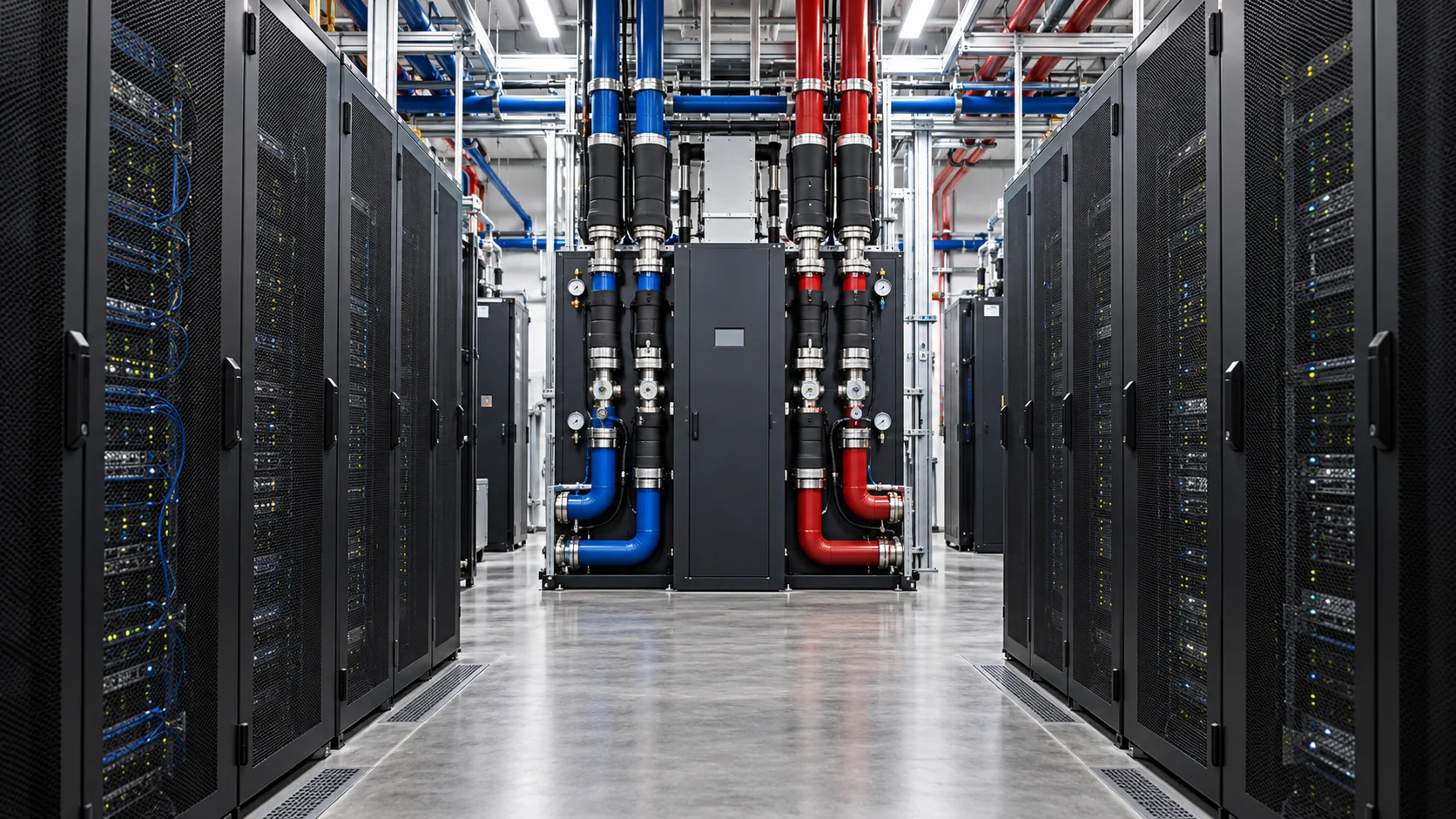
The AI infrastructure race is shifting from “who has the chips?” to “who can get a working factory online?” The Associated Press reports that NVIDIA CEO Jensen Huang used the company’s Berlin developer conference to urge Europe’s AI sector to move faster, while presenting tools intended to help accelerate data-center construction.
The most consequential piece is infrastructure, not marketing language. NVIDIA says its new DSX POD reference design packages computing, networking, rack-level power and liquid cooling into modular units that can be integrated and tested before arriving at a prepared site. The company says deployment at a ready location could fall from roughly six months to as little as 14 days.
Why the schedule matters
AI capacity is constrained by more than GPU supply. Operators still need power, interconnection, cooling, fiber, permitting, specialized labor and a site that can accept a dense load. A modular approach does not remove those constraints, but it changes where the work happens: more integration moves into a factory, while the site becomes a connection and commissioning problem.
That distinction matters for developers, utilities and investors. A project that reaches “first tokens” weeks earlier can begin serving customers sooner, but only if the supporting infrastructure is actually ready. A container full of compute does not create capacity without electricity, thermal management, network access and a reliable operating model.
What NVIDIA is claiming
NVIDIA says DSX POD is designed for Vera Rubin AI factories and is being developed with partners including Bull, Dell Technologies, HPE, Lenovo, Schneider Electric and Vertiv. The company also says partners are working toward global deliveries in early 2027. Those are vendor announcements, not independent measurements, and the real test will be how quickly a prepared site can move from delivery to production under local grid, permitting and operating conditions.
What to watch next
- Power access: whether sites have firm capacity and a realistic interconnection path.
- Cooling: whether closed-loop liquid systems reduce water use without creating new maintenance bottlenecks.
- Deployment evidence: whether the promised weeks-long schedule holds outside demonstration environments.
- Revenue timing: whether faster installation translates into paid inference and training workloads.
BOSSTOX tracks the physical and financial systems behind AI: power and grid access, cooling, custom silicon, optical networking, data-center capacity, and capital. The NVIDIA announcement is a useful signal because it connects several of those lanes at once. The strategic question is no longer simply how many accelerators a region can buy. It is how quickly that region can turn electricity, equipment and sites into dependable compute that customers can use.
Sources
Read the Associated Press report and review NVIDIA’s DSX POD announcement. For related infrastructure context, visit BOSSTOX.
This BOSSTOX analysis is original and distinguishes reported facts from company claims and editorial interpretation.
Explainers
October and Earnings Season: How the Quarterly Reporting Calendar Works
Mid-October typically kicks off reporting for the July through September quarter. Here is how earnings season works and how to follow infrastructure themes through it.
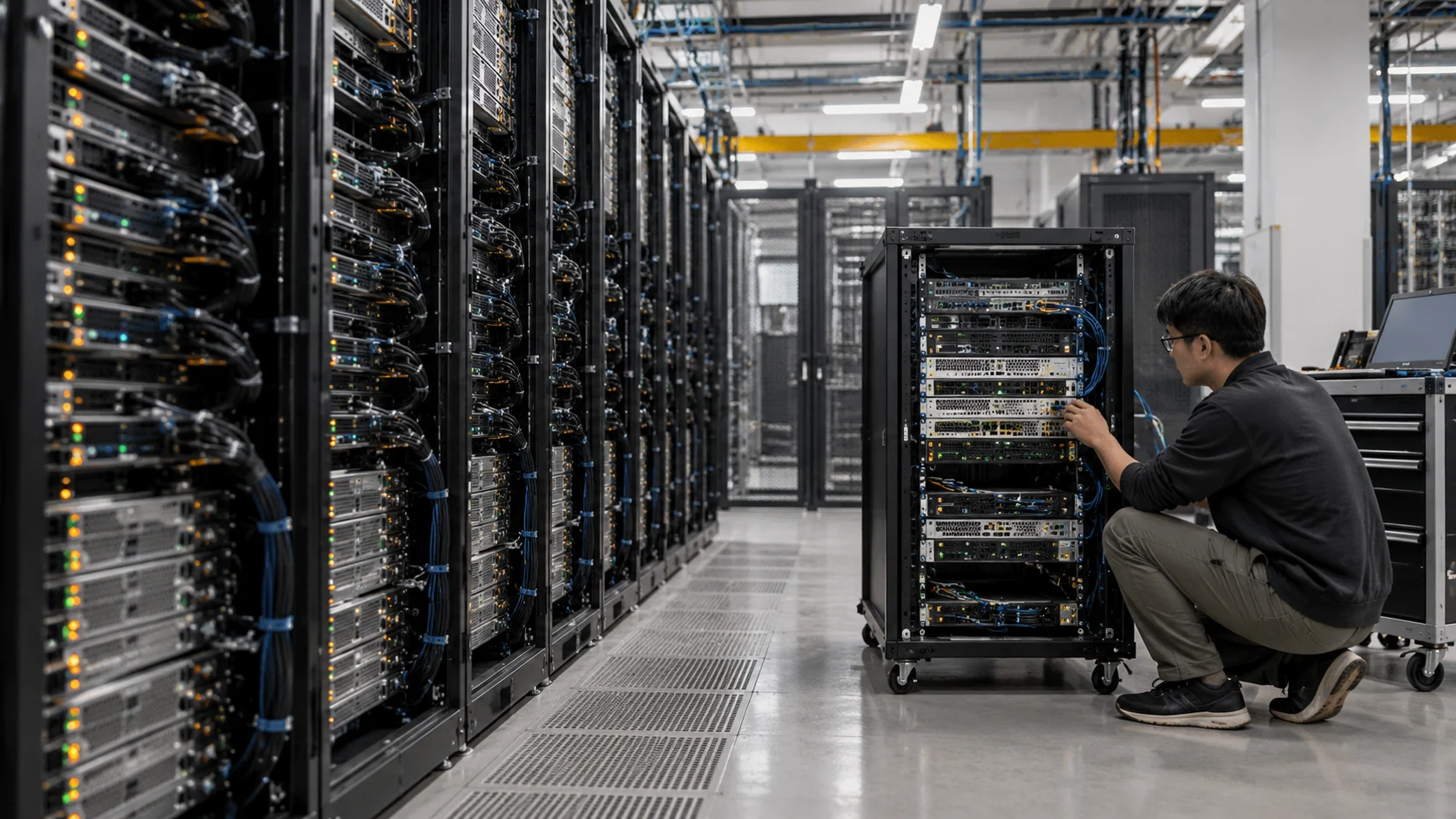
For anyone following public companies, October brings a familiar rhythm. Many companies with calendar fiscal years begin reporting results for the third quarter, covering July through September, in the middle of the month. Over the following weeks, a steady stream of earnings releases, calls and filings arrives. Knowing how the calendar works makes the flood of information easier to manage.
Why reporting clusters
Most large U.S. companies close their books at the end of each calendar quarter, then take a few weeks to finalize results. SEC rules set deadlines for quarterly 10-Q filings, generally within 40 days after quarter end for larger filers and 45 days for smaller ones. Annual 10-K deadlines are longer.
Because so many companies share the same quarter-end, their reports bunch together. Large banks often report early in the season, followed by many technology, industrial and consumer companies in the following weeks. Companies with different fiscal years report on their own schedules, so not everyone fits the pattern.
How companies announce dates
Most companies announce their earnings date in advance through a press release and on their investor relations website. The announcement usually includes the time of the release and a link to the conference call webcast. Many people find it helpful to note the dates of companies they want to follow and to check the investor relations page directly, rather than relying on third-party calendars that may be out of date.
Following infrastructure themes through the season
Because the AI build-out touches many industries, related information appears across many reports. A reader might track:
- Capital expenditure figures and commentary from large cloud and technology companies
- Order backlogs and lead-time comments from electrical and power equipment makers
- Leasing and development updates from data center REITs
- Demand commentary from chip and server suppliers
- Large-load discussions from utilities
Seeing the same theme from several angles, buyer, supplier, landlord and utility, gives a more balanced picture than any single report.
Keeping calm during the season
Earnings season can feel noisy. Headlines often summarize complex results in a word or two, and share prices can move sharply on small differences from expectations. A few habits help:
- Read the original release or filing before forming a view
- Focus on the same handful of measures each quarter
- Note what management says changed since the last report
- Give yourself time; filings and transcripts remain available long after the day of release
Where to find primary sources
Earnings releases are posted on company investor relations websites, and formal filings appear on the SEC’s EDGAR system at sec.gov. The SEC’s investor.gov site has plain-language explanations of quarterly and annual reports. These primary sources are the best foundation for understanding what companies actually reported, as opposed to what was said about them.
This article is general education about how the industry and financial reporting work. It is not investment advice and does not recommend buying or selling any security. For decisions about your own money, talk to a licensed financial advisor.
Explainers
AI Costs for Small Businesses: A Practical Model Before You Buy GPUs
The model call is the smallest line on the bill. Here is a simple way to price an AI feature before it becomes a permanent expense.

Key points
- Size the workload first: requests, input and output size, peak load and response-time target.
- Price every layer — tokens, storage, retrieval, logging, review — and add a peak allowance.
- Self-hosting only wins at high, steady utilization; otherwise managed services are usually cheaper.
Small businesses usually do not need to build an AI data center. They do need a way to estimate what an AI feature will cost before it becomes a permanent bill. The mistake is to price only the model call. Real cost includes data preparation, software, storage, networking, monitoring, security, people, and the cost of being wrong.
Step one: define the workload
Start with the workload. Count requests, average input size, average output size, peak requests per minute, and the response-time target. A document summarizer, a customer-service assistant, and an image inspection system have different requirements. A monthly request count is not enough if most requests arrive in one short daily peak.
Next decide whether the work needs a large model. Many business tasks are narrow. Routing, extraction, classification, drafting, and search may work with a smaller model or a hosted service. A larger model may be appropriate for difficult reasoning, but it should be selected because tests show a business benefit, not because it is the most famous option.
Step two: price every layer
Cloud pricing normally has several parts. There may be a charge for input and output tokens, a minimum service fee, storage, data transfer, logging, and a database for retrieval. If the company runs its own model, it pays for a machine or accelerator while it is reserved, even when the machine is idle. Some providers offer on-demand, committed, or spot capacity. Each shifts the balance between flexibility, discount, and availability.
A simple monthly model is useful. Estimate monthly requests, multiply by average input and output size, apply the provider’s rates, then add non-model services. Add a peak-capacity allowance rather than assuming the average is the same as the maximum. Finally, add a human-review budget for cases the model should not handle alone.
Self-hosting and the break-even point
Self-hosting can be economical at high and predictable volume, but the break-even point depends on utilization. A local or dedicated accelerator has a fixed cost. If it is used for only a few hours a week, a managed API may be cheaper. If it serves a steady workload every day, owning or reserving capacity may become attractive. The calculation should include electricity, cooling, maintenance, software updates, and replacement hardware.
Privacy and quality have costs too
Privacy can change the answer. A company may pay more for a private deployment because customer records, contracts, health information, or proprietary designs cannot be sent to a general service. This is a business and legal requirement, not just a technical preference. The cost model should include data classification, access controls, retention, and audit work.
Quality has a cost too. If an assistant produces a wrong answer, an employee may have to correct it. If an extraction pipeline mislabels invoices, accounting staff may repair the results. A small accuracy improvement may be worth more than a lower compute bill when the output is used in a high-value process.
Use caching and retrieval carefully. Reusing a stable answer can reduce repeated model calls. Retrieval can keep a model grounded in a smaller set of relevant documents, but the search index and documents still require maintenance. Poor retrieval creates confident answers from the wrong source, so evaluation must test both the model and the retrieval layer.
Start with one measurable project
The best first project is measurable. Choose one workflow with a known baseline, such as the time employees spend answering common questions. Run the AI system alongside the current process. Track response quality, employee editing time, escalations, and total cost. Do not count a demo as savings until people actually use it.
Cloud providers publish pricing and consumption choices, but prices change and performance varies by model and region. A small business should keep a simple spreadsheet of assumptions and revisit it when volume, model, or service terms change. The spreadsheet is more valuable than a single headline price.
AI is affordable when it is attached to a specific job. It becomes expensive when a company buys capacity before defining the workload. Start with the task, measure the demand, test a small model, and include the human and operational costs. The goal is not the cheapest model call. The goal is a reliable business result at a cost the company can defend.
What BOSSTOX is watching
- Price changes across providers for the same model class.
- Reserved versus on-demand capacity terms for small buyers.
- Tools that measure employee editing time on AI output.
Sources
- Google Cloud, TPU pricing and consumption options
- Google Cloud, planning TPU resources
- AWS, EC2 pricing and capacity choices
- AWS, GPU instances for inference and small-scale training
BOSSTOX Research articles are drafted with AI assistance and reviewed by our editors before publication. See our editorial standards.

The BOSSTOX App: Markets and the AI Build-Out on iPhone, iPad and Apple Watch

AI Server Rack Power Density, 2024-2027
The Life Cycle of a Data Center: Buildings Last Decades, Servers Do Not

Custom AI ASICs vs. GPUs

Gas Turbines on Data-Center Campuses

Transformer Lead Times Are Becoming a Data-Center Schedule Risk

GPU Supply Chains: How AI Hardware Gets Made, Moved, and Bottlenecked

Battery Storage at AI Sites
The BOSSTOX App: Markets and the AI Build-Out on iPhone, iPad and Apple Watch
AI Server Rack Power Density, 2024-2027
The Life Cycle of a Data Center: Buildings Last Decades, Servers Do Not
Custom AI ASICs vs. GPUs
-
 Power & Grid2 weeks ago
Gas Turbines on Data-Center Campuses
-
 Power & Grid2 weeks ago
Transformer Lead Times Are Becoming a Data-Center Schedule Risk
-
 Compute & Silicon3 weeks ago
GPU Supply Chains: How AI Hardware Gets Made, Moved, and Bottlenecked
-
 Power & Grid2 weeks ago
Battery Storage at AI Sites
-
 Cooling4 weeks ago
Water Use and Dry Coolers: The Tradeoff AI Sites Cannot Avoid
-

 Explainers1 month ago
Explainer: What an AI Inference Stack Actually Does
-

 Explainers1 month ago
AI Costs for Small Businesses: A Practical Model Before You Buy GPUs
-
 Compute & Silicon3 weeks ago
HBM Is a Bottleneck Because AI Memory Is a Stack, Not a Chip